
Features
Made for the way music actually gets made.
What a music session needs on top of a meeting app.
Free during the beta · macOS and Windows
- New in 0.4.0
- macOS and Windows
The session
Everyone in view, and the song beside them.
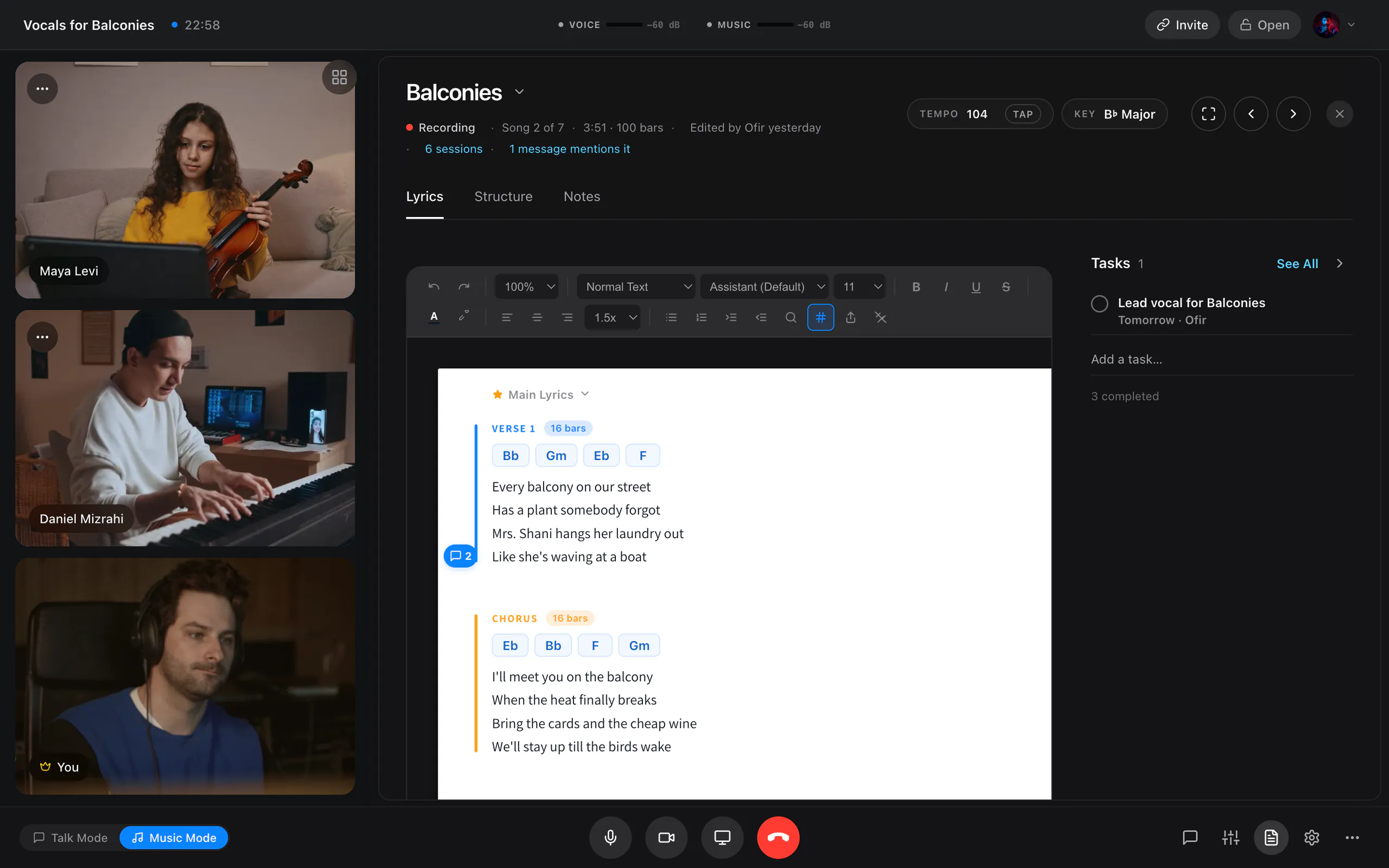
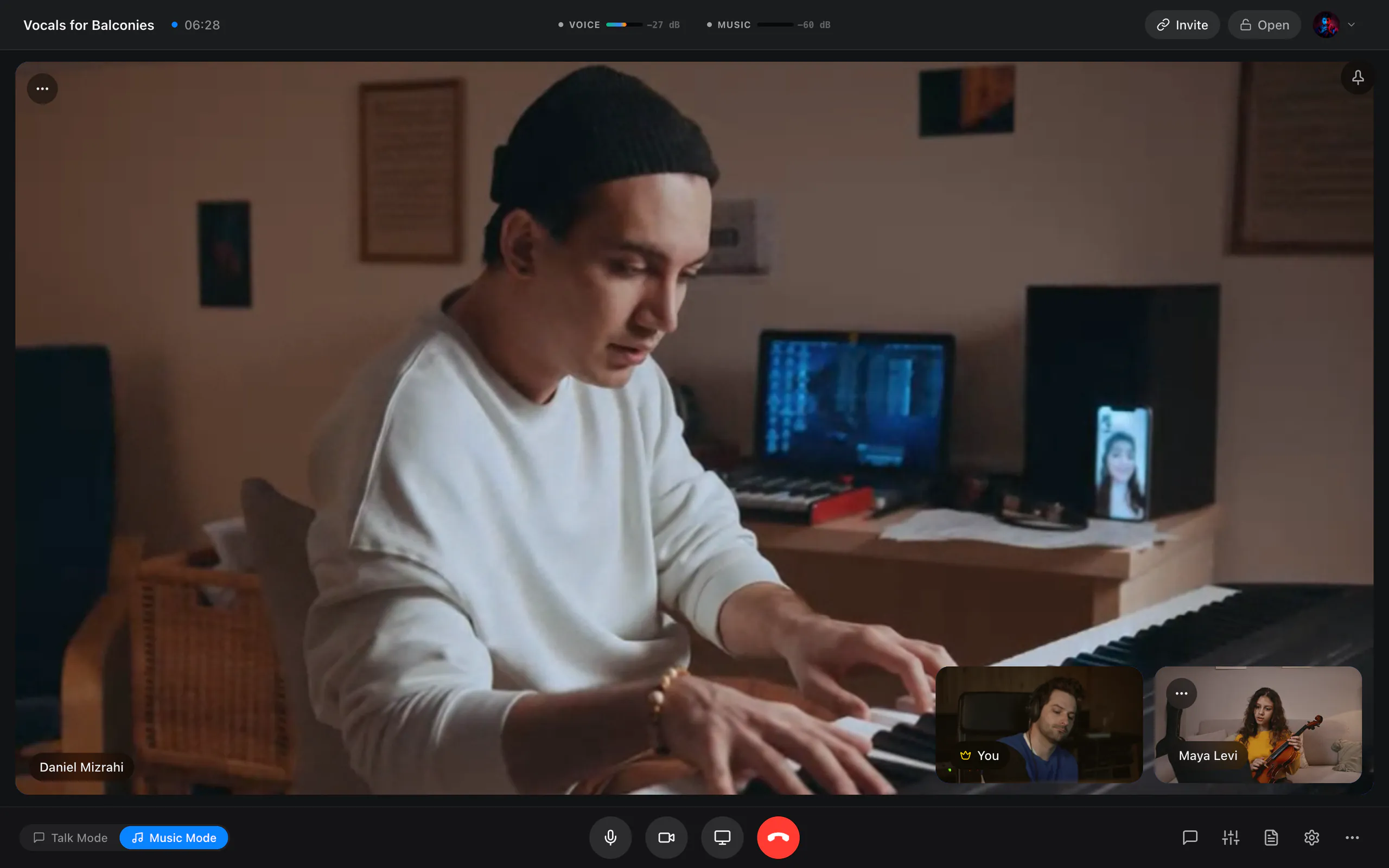
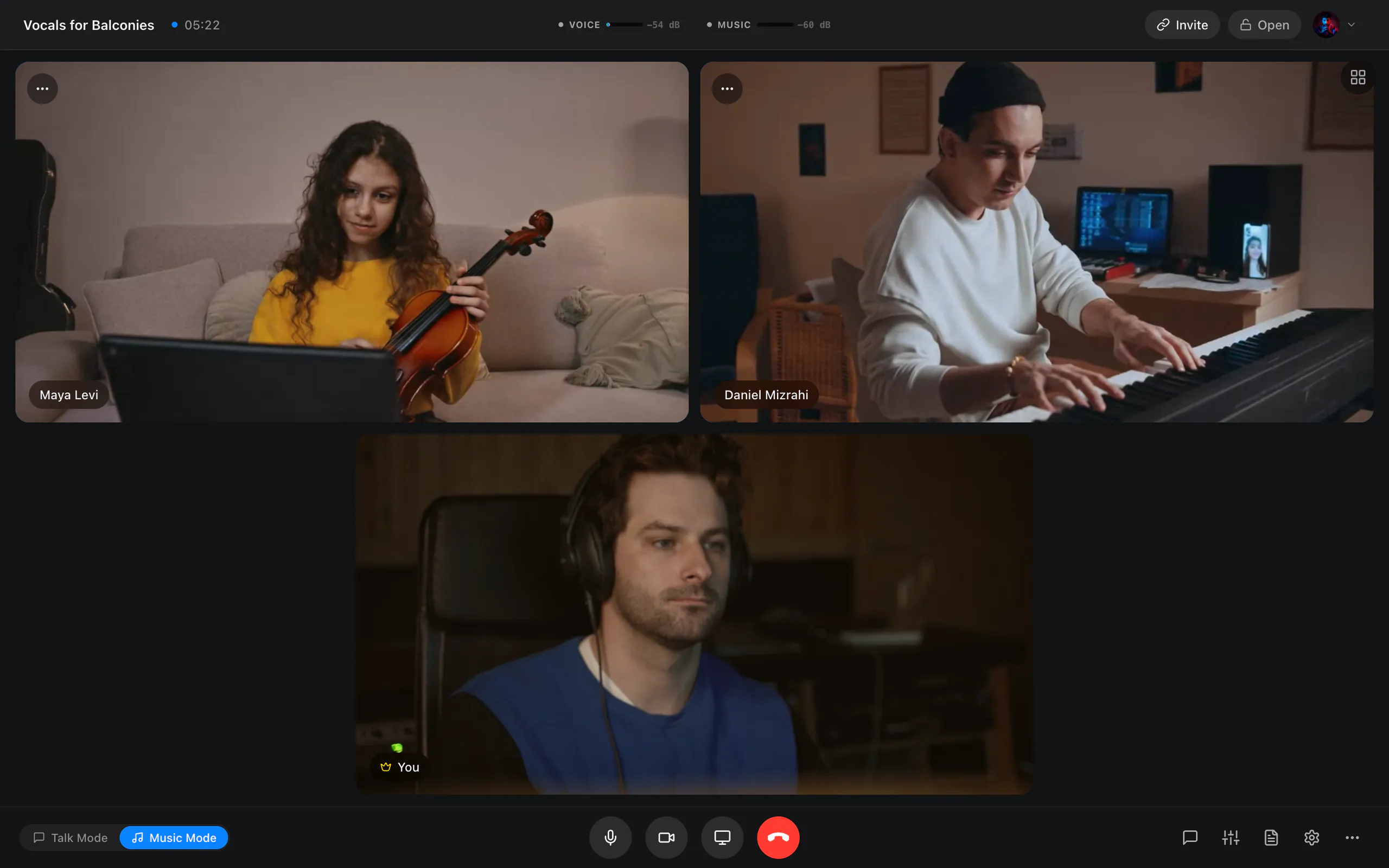
Before you go in, Studio Sound Check checks your connection, camera and microphones and plays back a short mic test. Send the invite link before you begin. Inside, choose Gallery, Speaker or Focus, hold Space to talk while you are muted, and keep the song open beside the cameras.
- In a project session, lyrics, structure, notes and tasks open beside the cameras, edited live by everyone
- The host locks the session, admits people from the waiting room and can remove a participant
- A mini window when you minimise JaMeet, and live stats for delay, loss and jitter
- macOS and Windows
Studio sound
Uncompressed, at 24-bit.
Lossless
- 24-bit
- 48 kHz
- Stereo
- Uncompressed
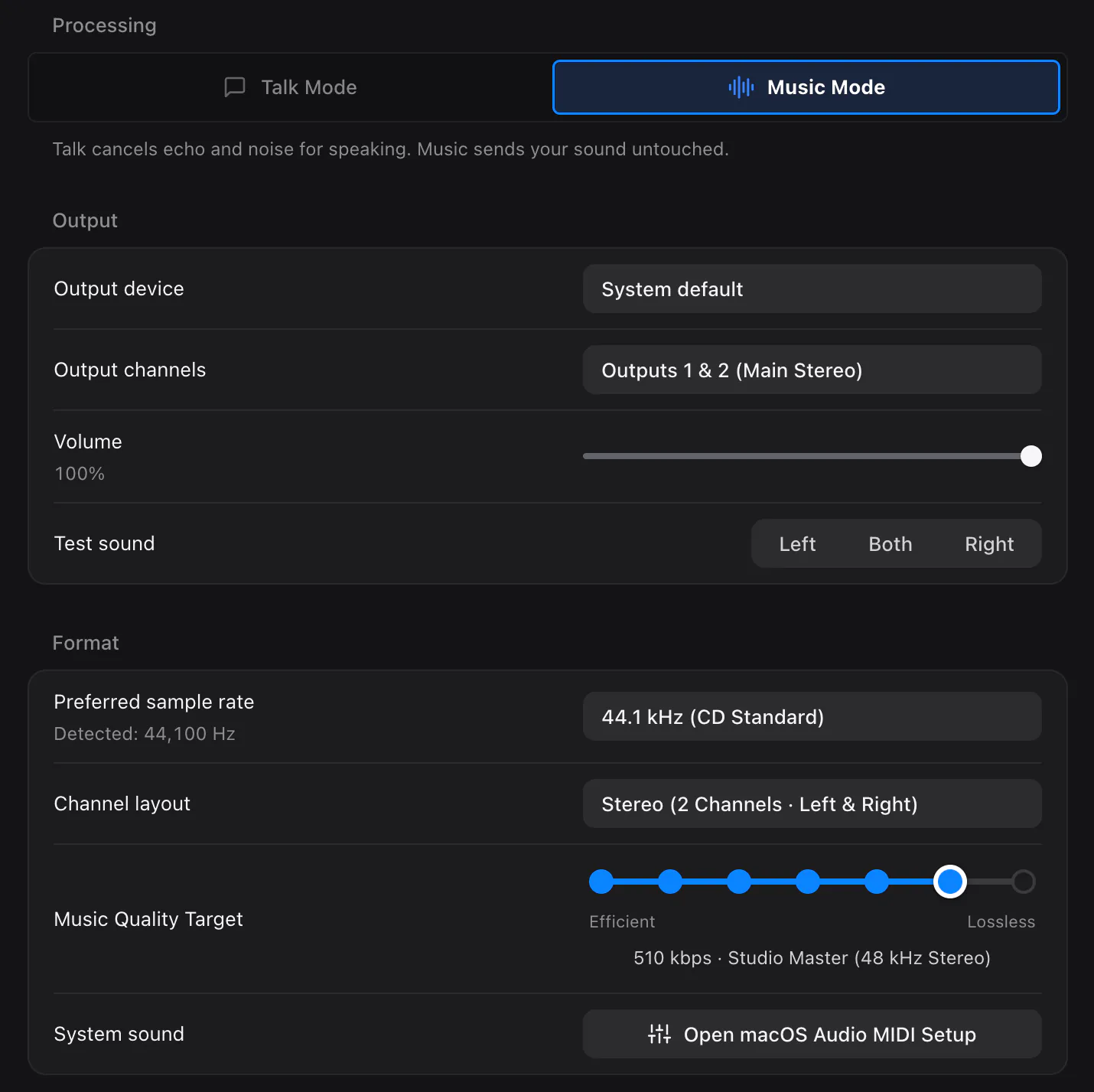
Music Mode turns speech processing off where the system allows it and captures in stereo. Between desktop apps, your Music source travels as uncompressed 24‑bit audio at 48 kHz by default, the depth your session files are already in. Talk Mode brings echo cancellation, noise suppression and gain control back for the conversation between takes.
- The default Music quality between desktop apps, in sessions of up to four
- Opus underneath, taking over on any connection that cannot carry 24‑bit, and for guests in a browser
- A connection test in Settings recommends a setting from real jitter and loss
- New in 0.4.0
- macOS and Windows
Your own mix
A Studio Mixer, not a volume slider.
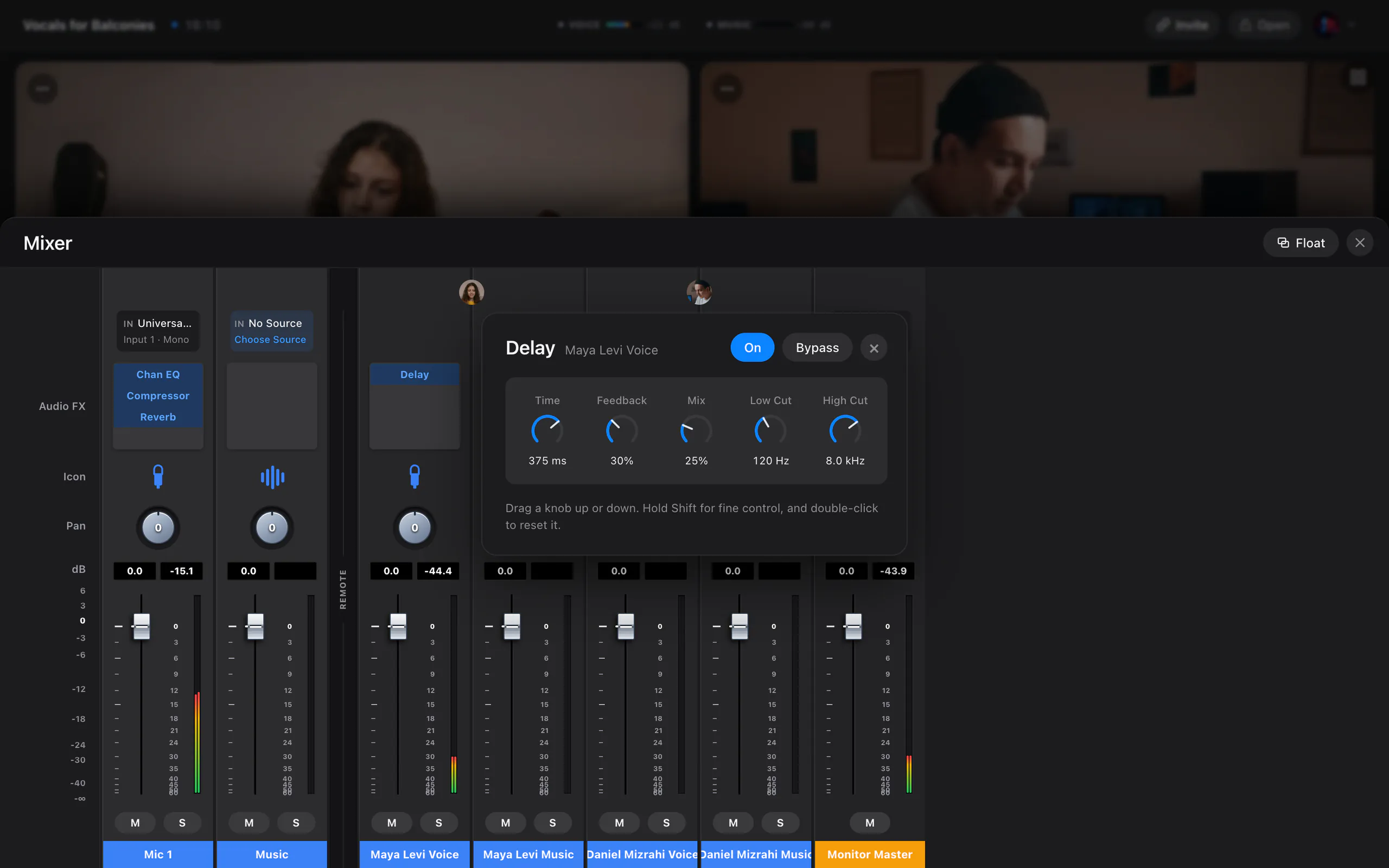
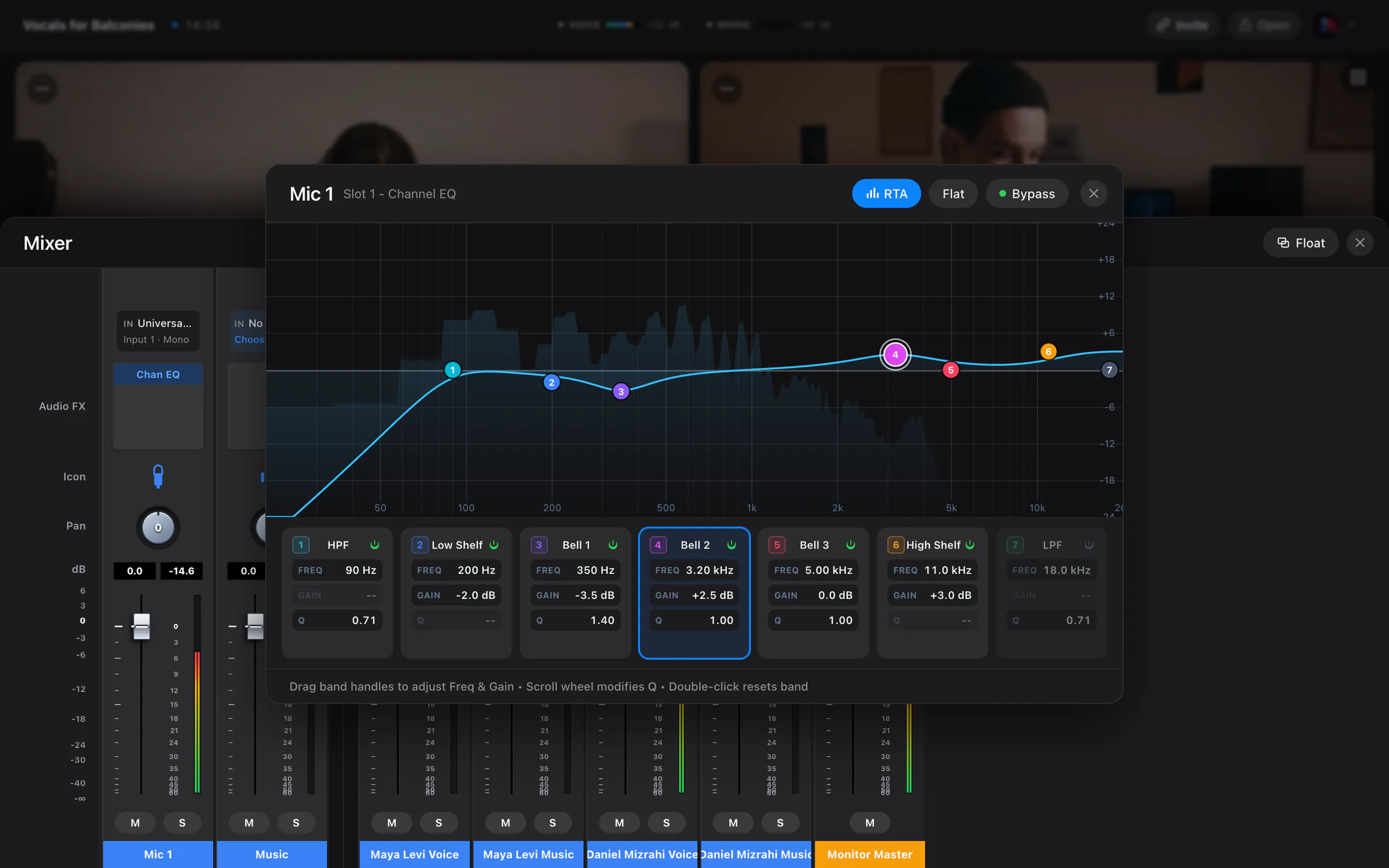
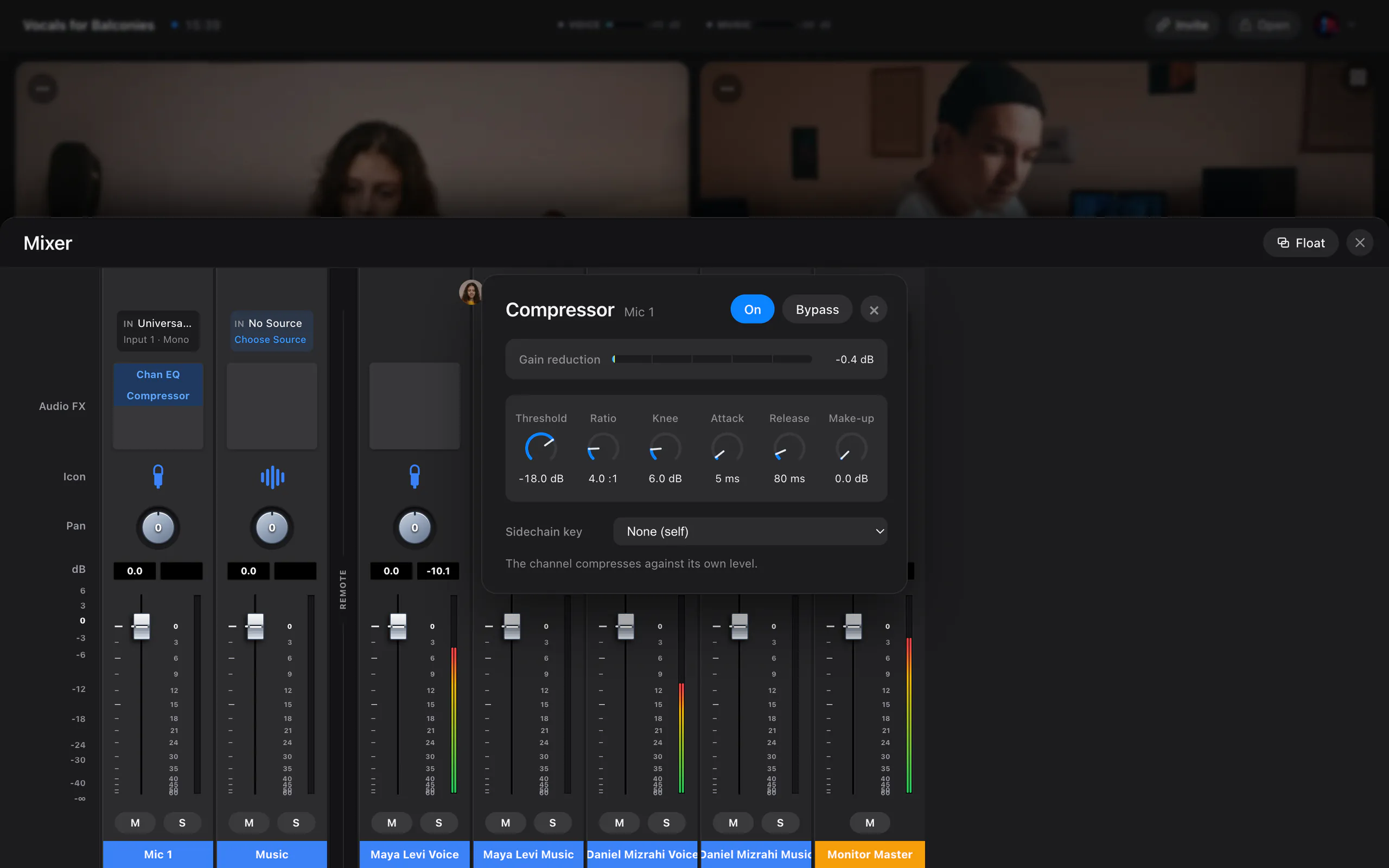
Every microphone, your Music source and each remote musician gets a channel strip with level, pan, mute and solo, plus FX slots holding a seven-band EQ, a compressor, a delay and a reverb. Each editor opens as its own movable window, so you can ride a fader while the compressor sits beside it.
- Seven-band EQ and a compressor whose sidechain keys off any other channel
- Delay with feedback and filters, and reverb with decay, pre-delay and filters
- Input and output routing from the desk itself; float it in its own window or minimise it
- macOS and Windows
Two paths
Your voice and your music, never on one channel.
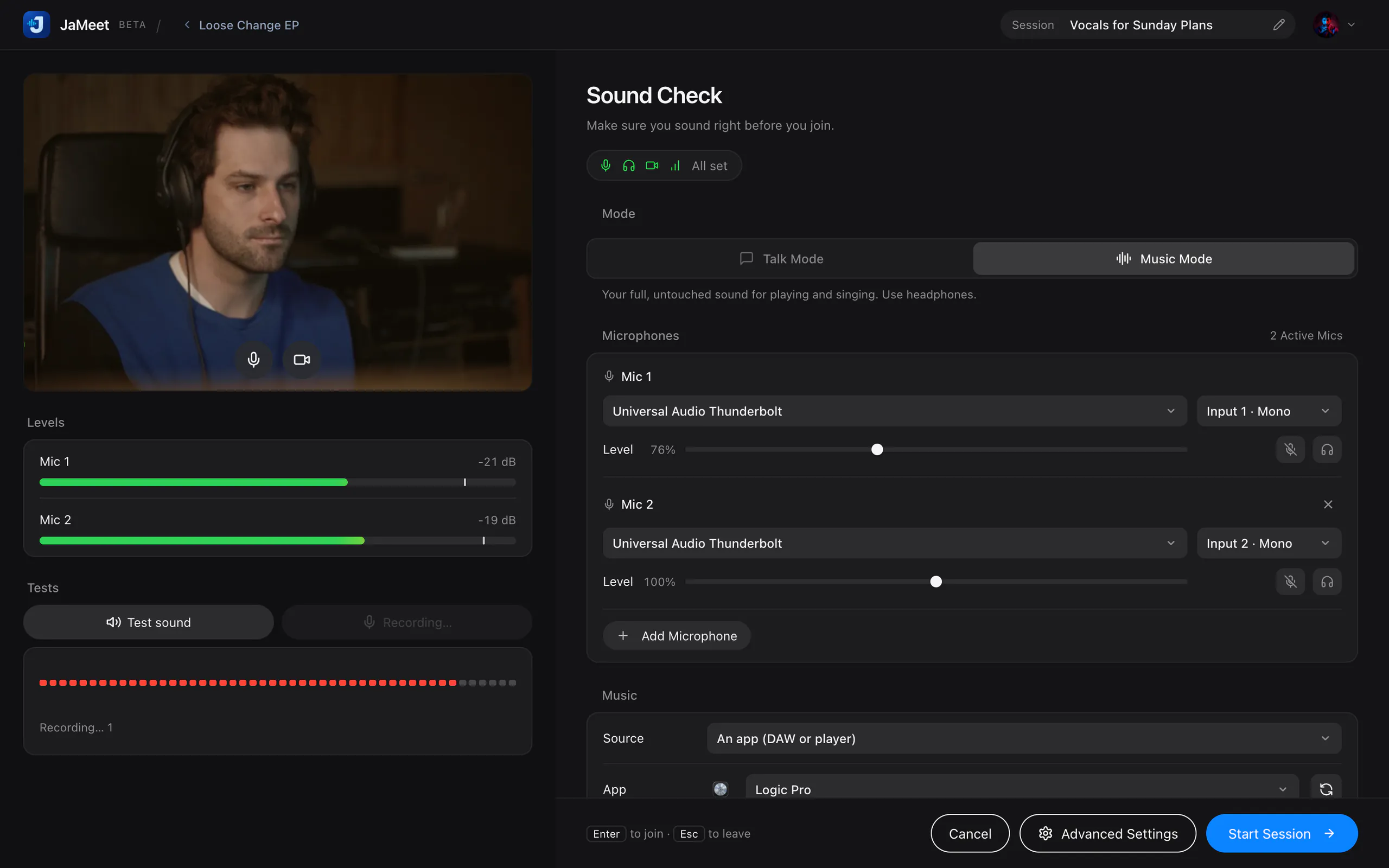
Your voice and your instrument never share a channel. Each has its own input, its own level and its own processing, so the noise suppression that helps a talkback microphone never touches a stereo mix.
- Independent voice, music, camera and output selection
- Separate voice, music and master levels for every remote musician
- Live level metering and a recorded mic test before you start
- macOS only
In your DAW
Their voice, on an input in your DAW.
On a Mac, JaMeet installs JaMeet Remote, a virtual audio device. Choose it as an input in your DAW and a collaborator’s voice arrives on its own channel, ready to record, and separate from the music. It carries one collaborator’s voice at a time, even in a larger session.
- Installed with the macOS package and started automatically
- One remote musician’s voice, kept apart from the music path
- macOS only: the Windows beta installs no audio driver
- New in 0.4.0
- macOS and Windows
Your DAW, shared
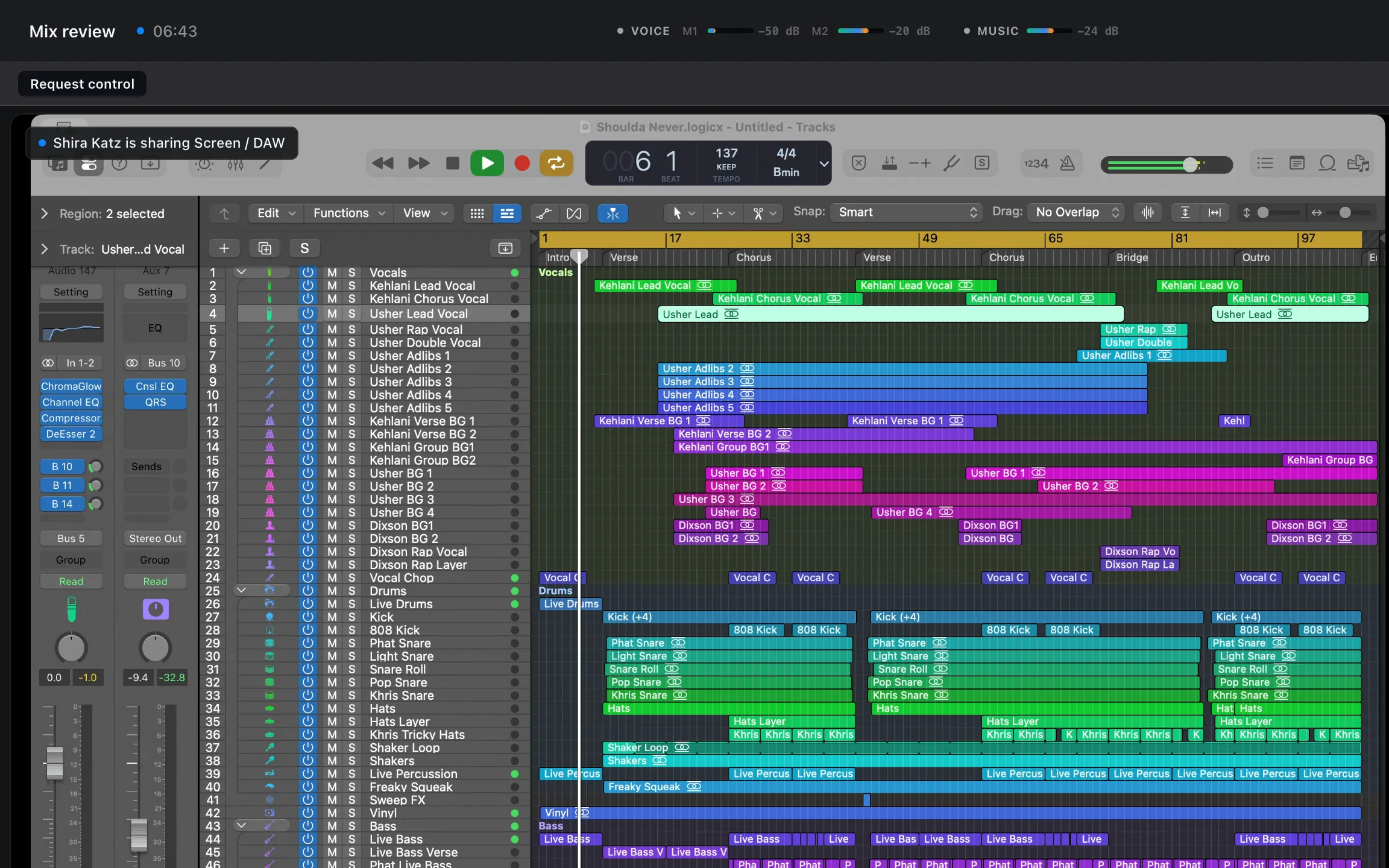
Share your DAW, then hand over the mouse.
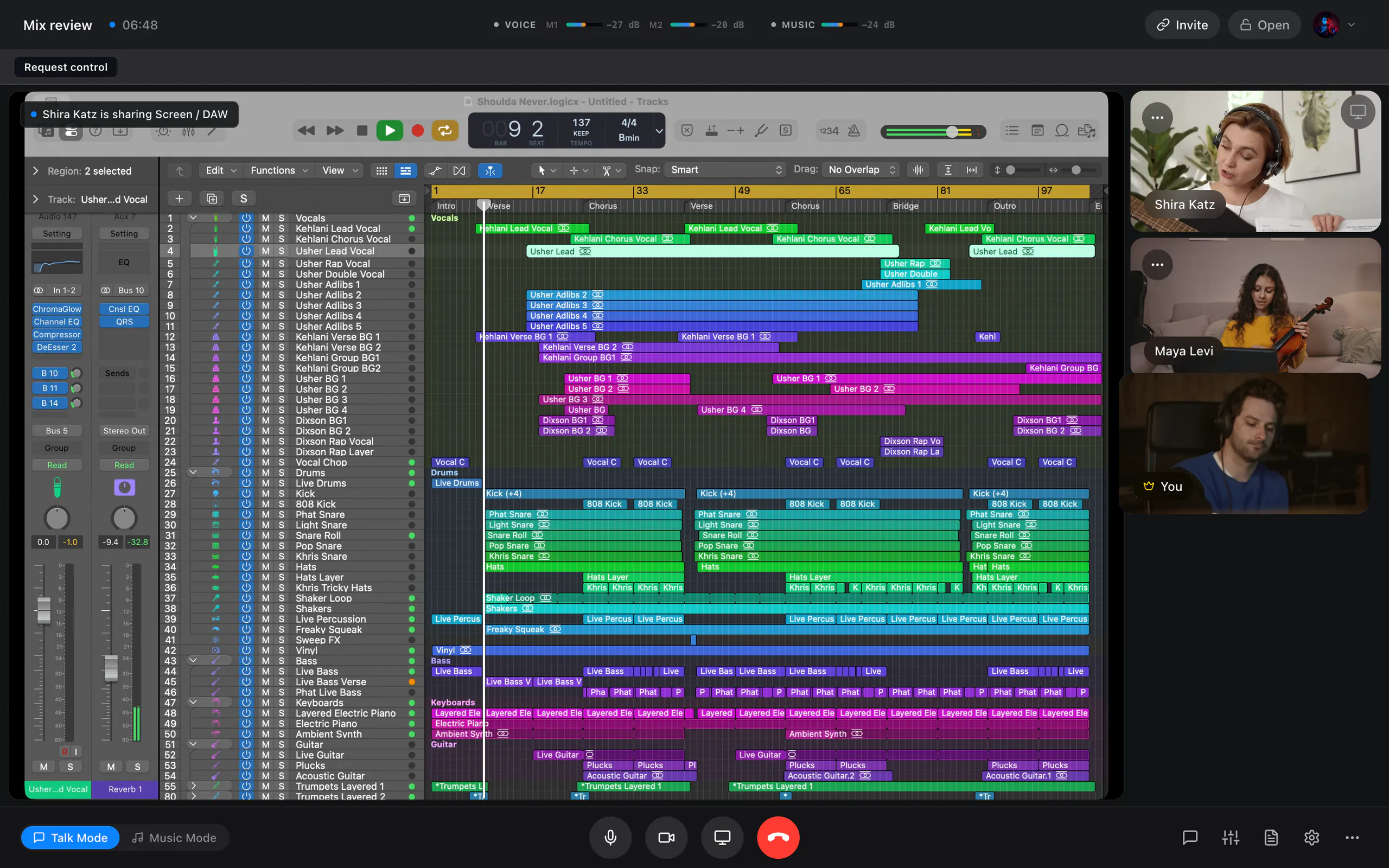
Pick a single DAW window or a whole display, at up to 4K, with an option that keeps timelines and small text crisp. Your microphone stays live and a floating toolbar keeps mute, camera, mode and the mixer to hand. When showing is not enough, a collaborator can ask for control of the screen, and you decide every time.
- Applications and DAWs listed separately from displays, optimised for crisp text or smooth motion
- Control is granted per request, names one person and one share, and you take it back at any time
- Real key presses, so DAW shortcuts work; JaMeet’s own windows are excluded from the share and out of reach
- New in 0.4.0
- macOS and Windows
Write it together
A workspace built around the song.
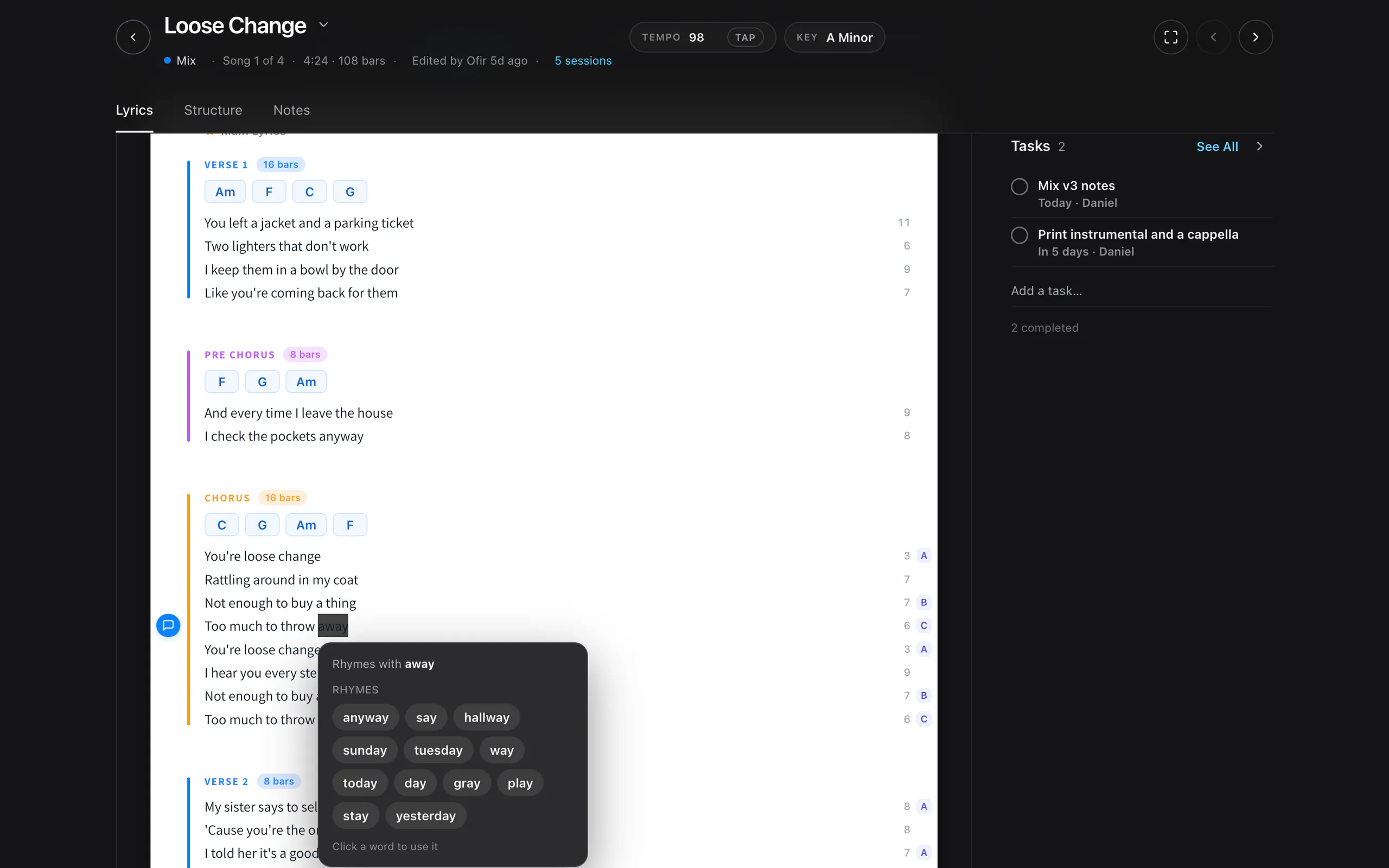
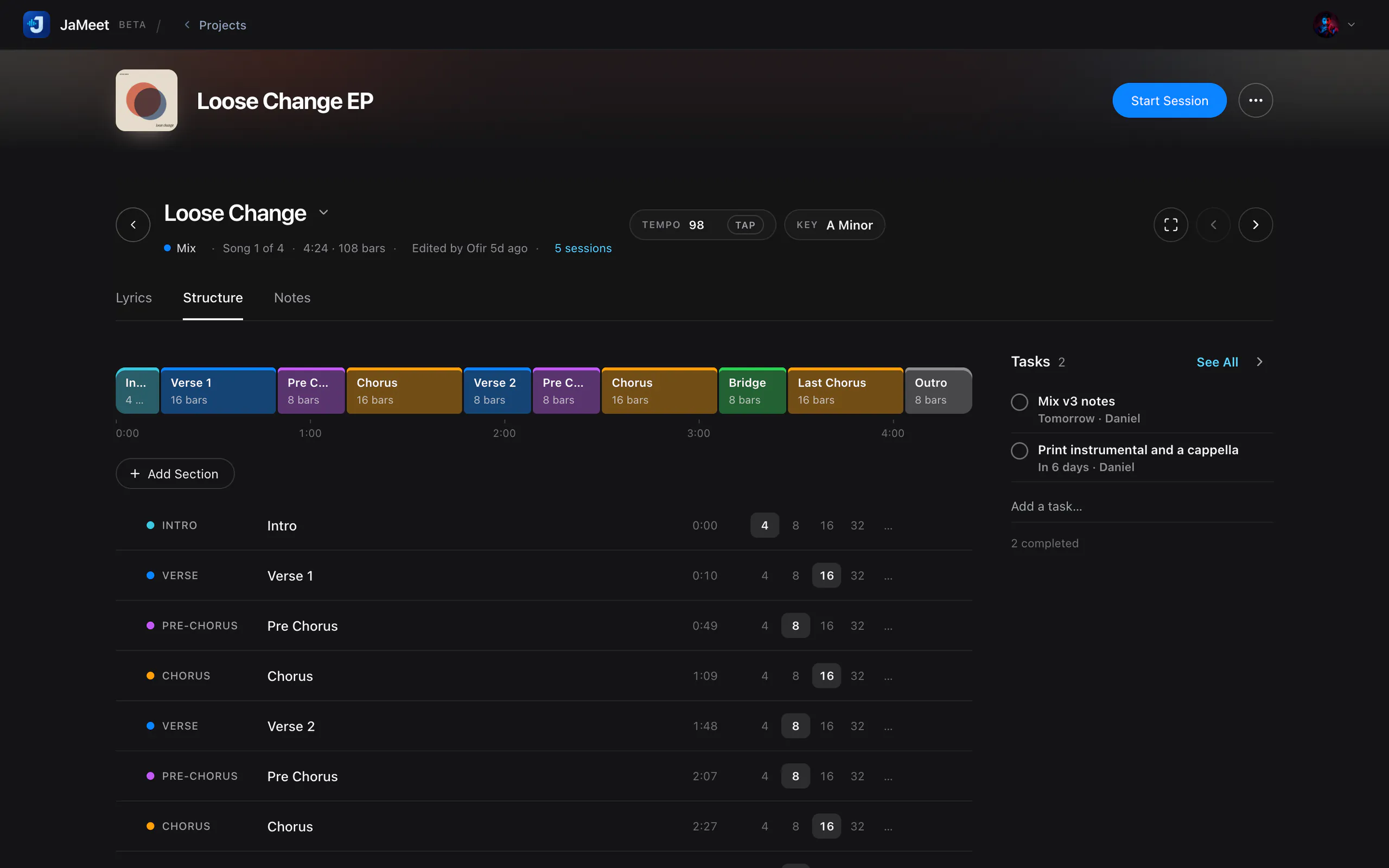
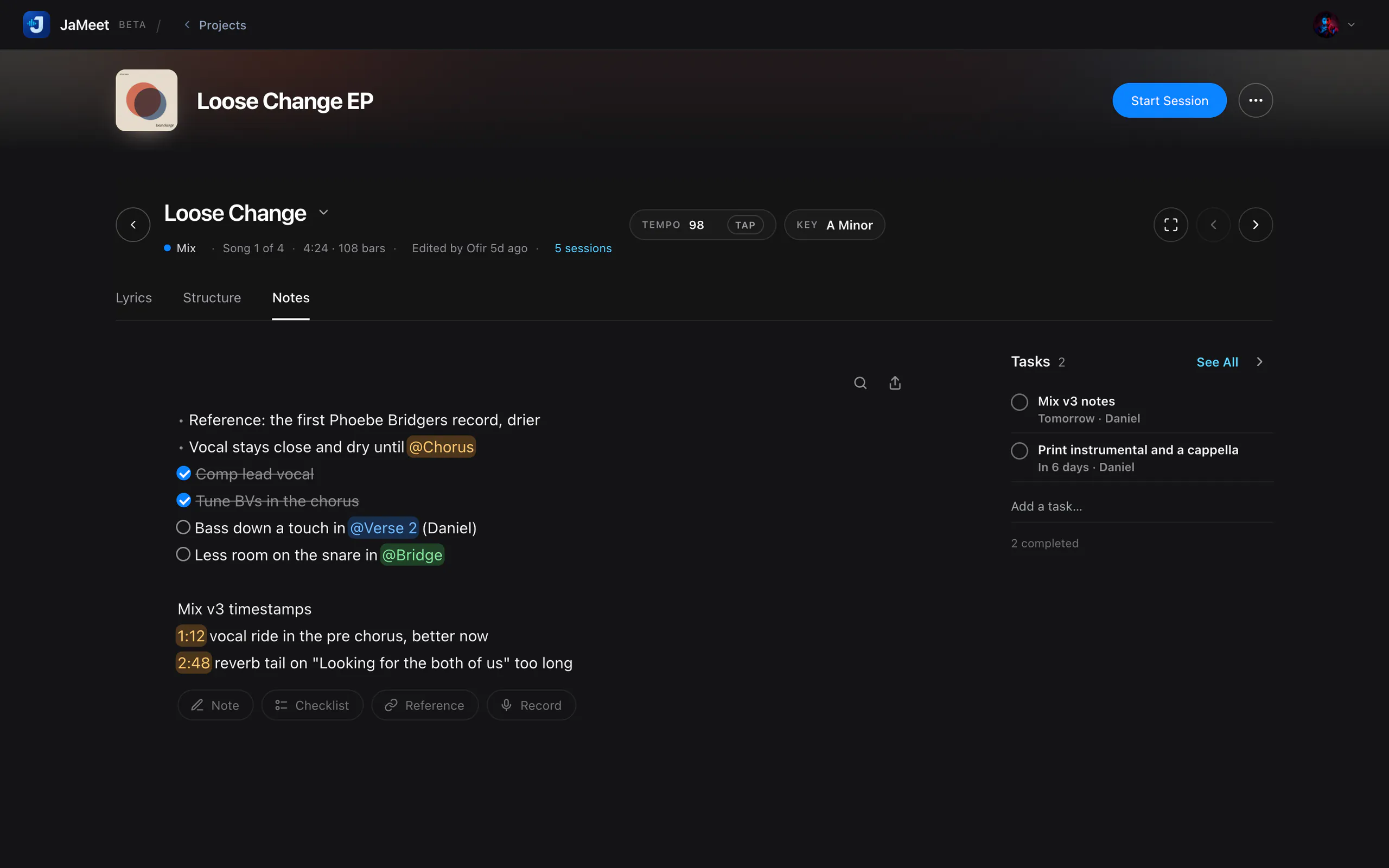
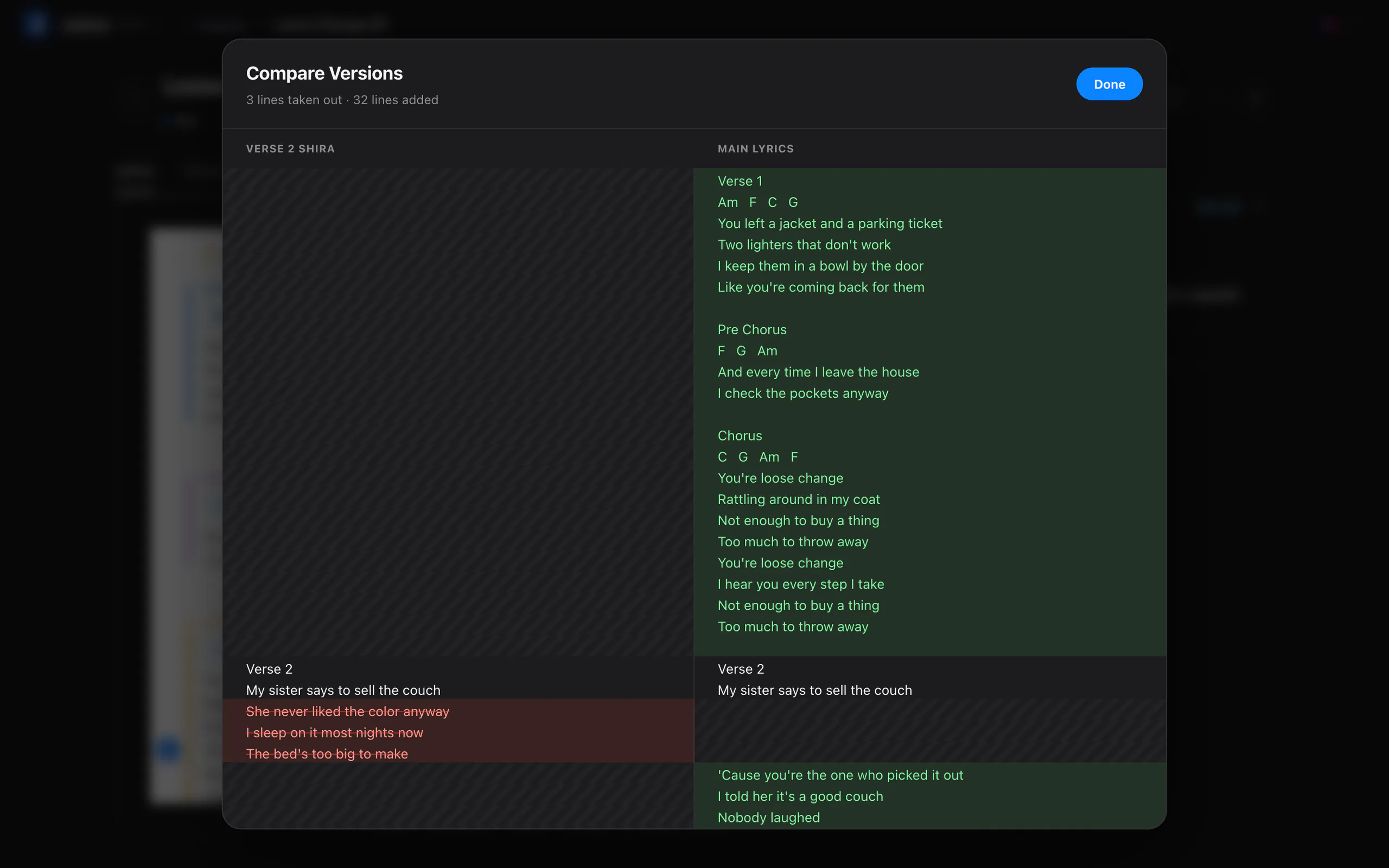
Each song has lyrics, a structure timeline, notes and its own tasks, edited live by everyone in the project. Lyrics carry section labels, chord chips and line notes, with syllable counts and rhymes in the margin from a dictionary that ships inside the app. Nothing is looked up online.
- Key picker, tap tempo, a structure timeline ruled by the song’s own tempo, and a focus mode
- The last three versions of lyrics, notes and structure, with Restore
- See who is looking at which song, and which sessions worked on it
- macOS and Windows
Projects
Projects, tasks and the sessions between them.
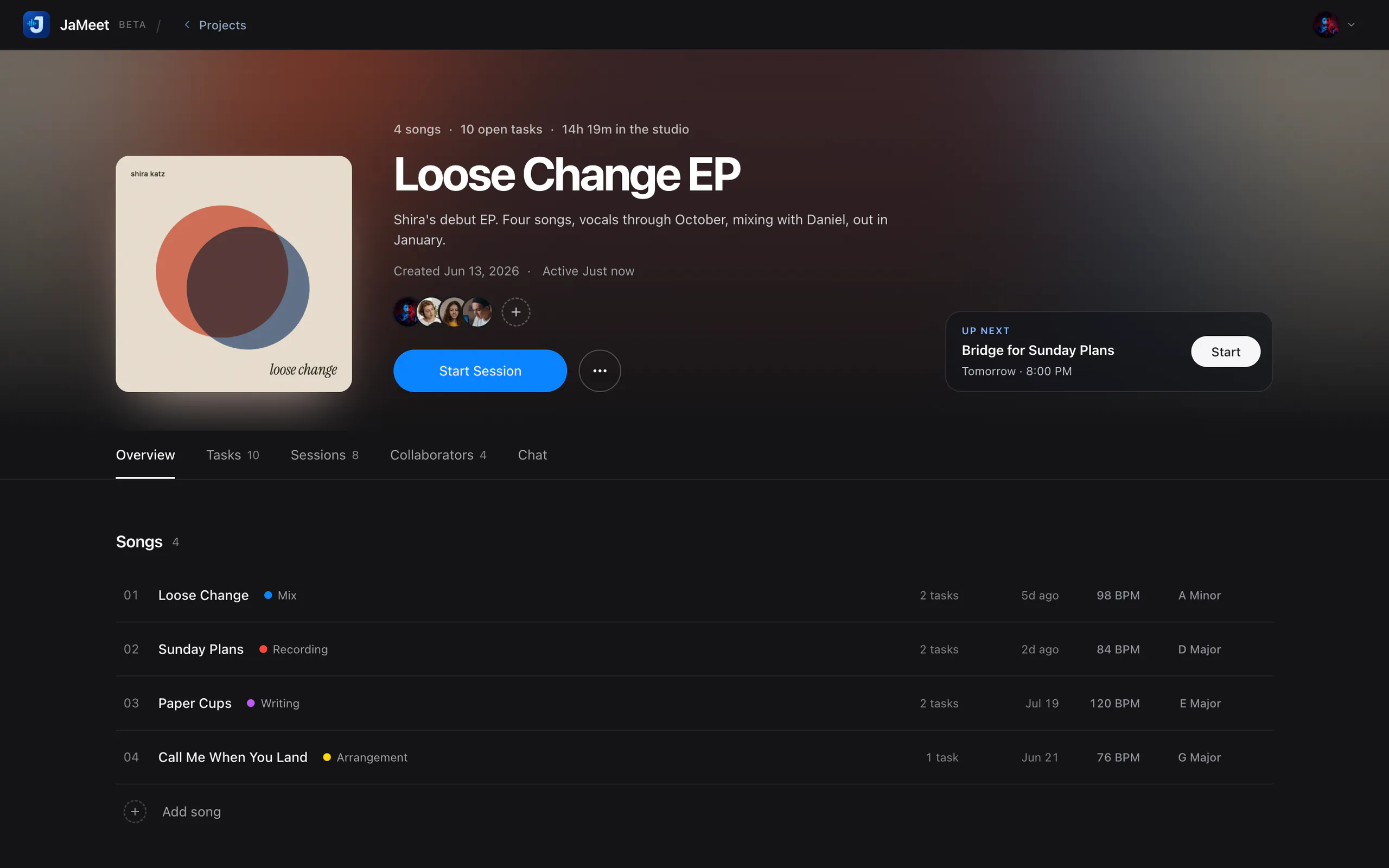
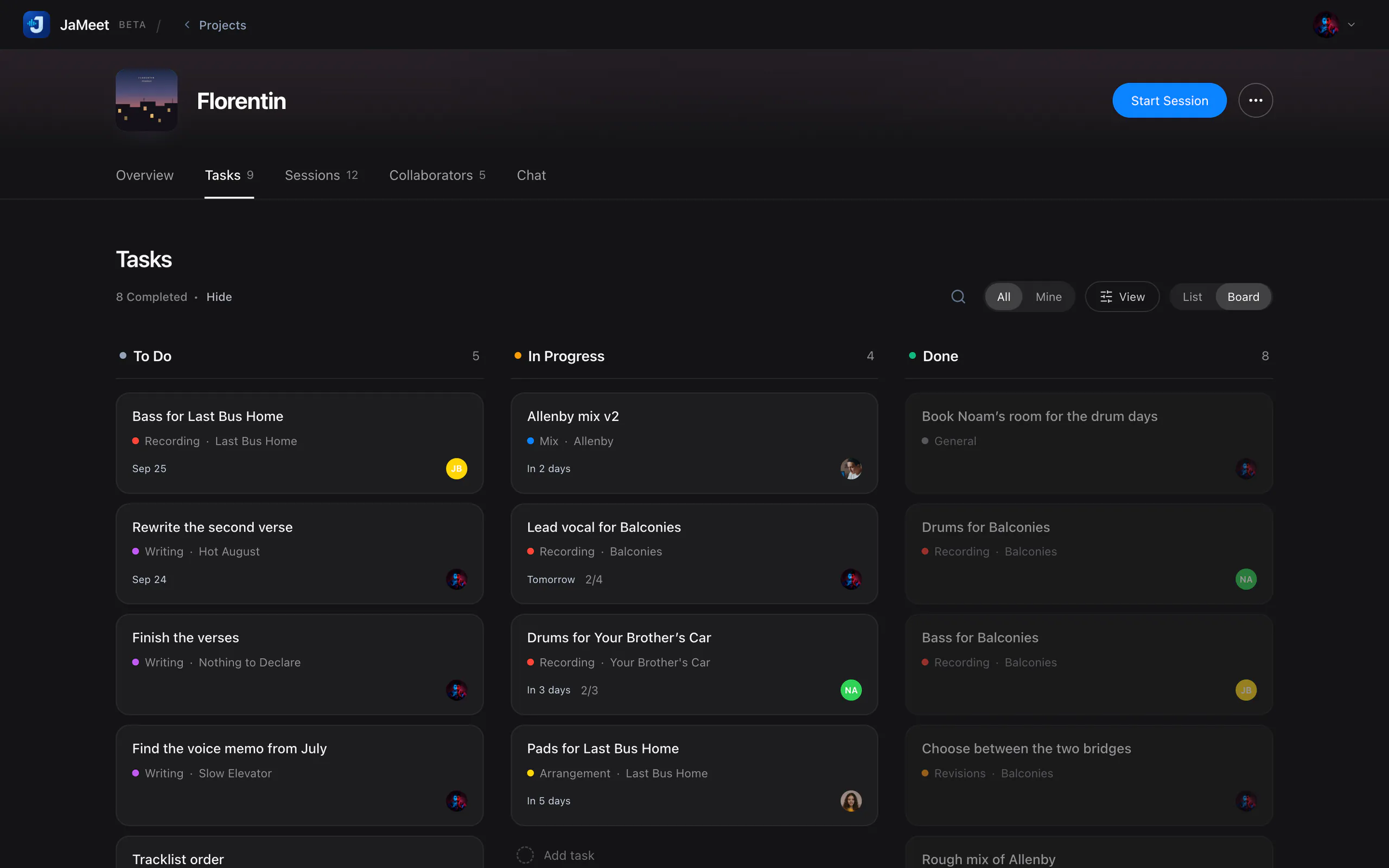
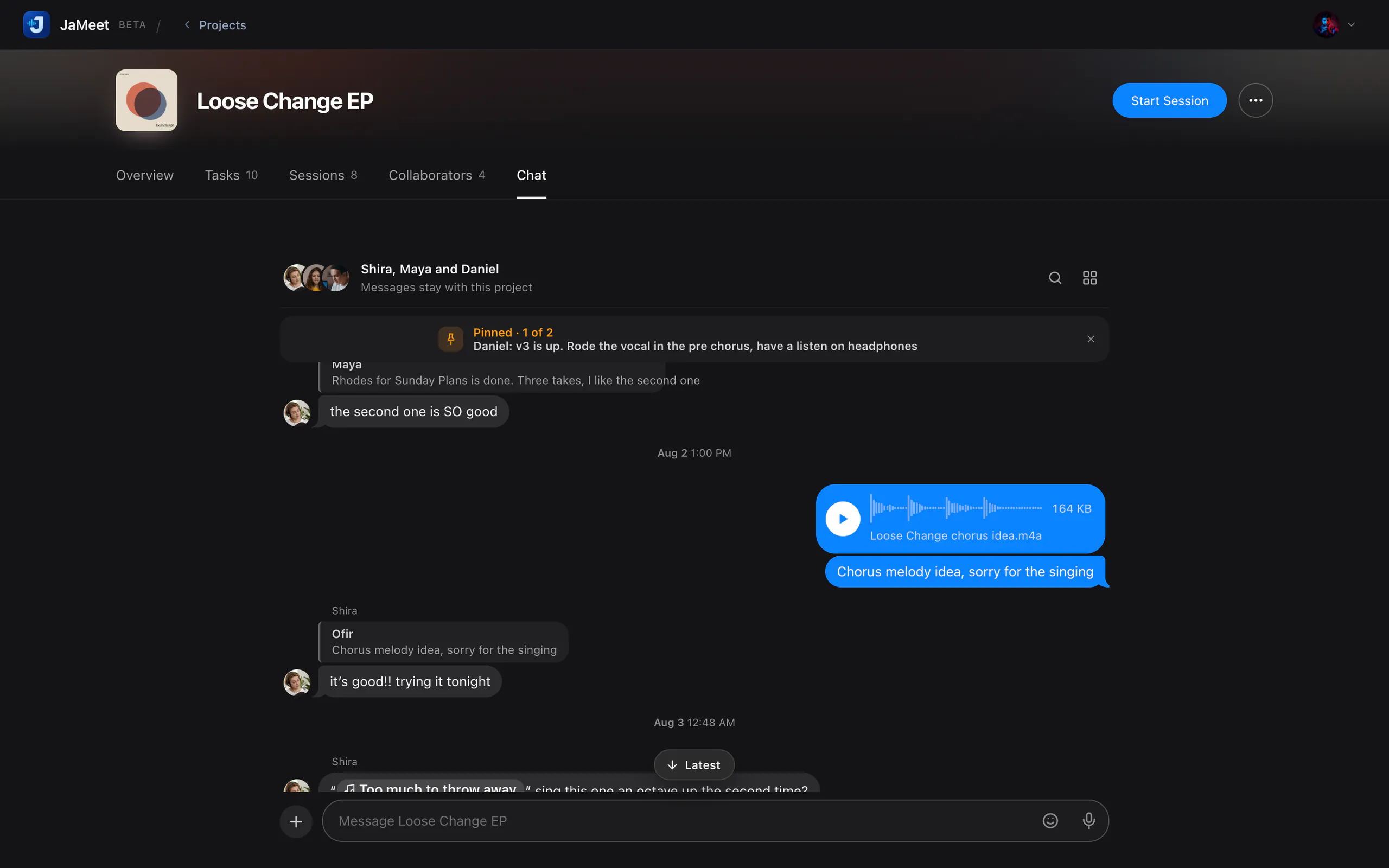
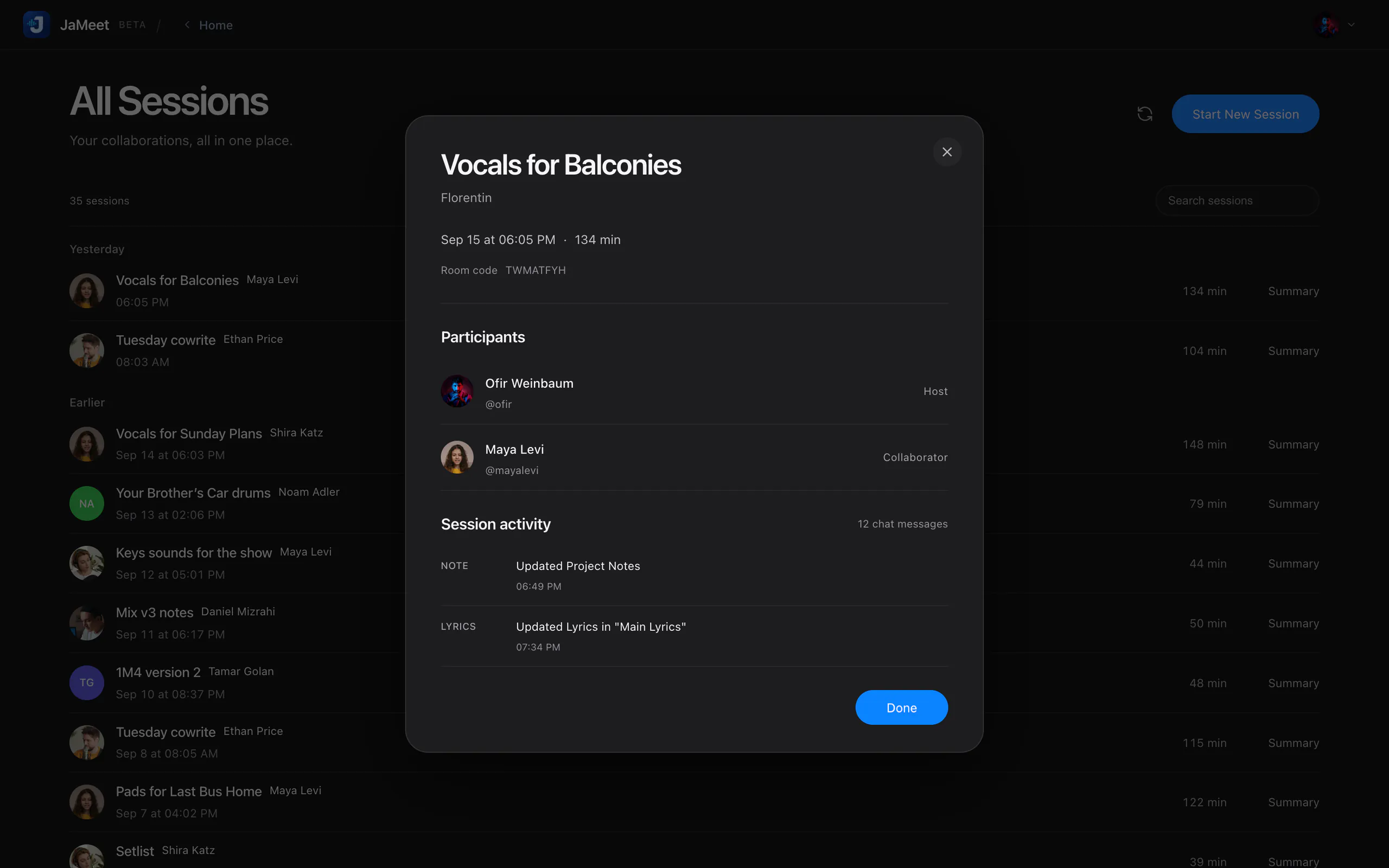
A project holds its songs, tasks, chat and members. Tasks sit on a board or in a list, staged from Writing through Mix and Mastering, and one typed line adds a task with its owner, stage and due date. Sessions get a name and a summary afterwards.
- Tasks with subtasks, stages, due dates and a link to their song
- Project chat with replies, pins, search, files and voice notes
- Invite by username, email, link or QR code, as an editor or a viewer
And so much more.
The details that make remote sessions feel like the studio.
Sound and video
-
Choose your music source
Send one app such as your DAW, your interface’s output or the whole computer.
-
Camera up to 4K
With Balanced, High Quality and Low CPU modes to suit your machine.
-
Connection test
Measures jitter and loss, then recommends a music quality.
Writing
-
Lyric versions
Keep alternative lyrics and compare two of them side by side.
-
Line notes
Leave a comment on a single lyric line, posted to the project chat.
-
Format, print, share
Fonts, colours and Find and Replace, then print or save as PDF.
-
Hebrew lyrics
Hebrew lines run right to left, with Hebrew fonts and spelling-based rhymes.
-
Richer notes
Checklists, photos and voice memos inside a song’s notes.
Projects
-
Cover art
Give every project its own square cover on Home.
-
Member profiles
See each collaborator’s role, DAW and recent work in the project.
-
Activity log
Every change to the project, in the order it happened.
-
Live on Home
A Live badge shows which projects have a session running now.
-
Schedule ahead
Reminders before a session, and one click to add it to your calendar.
Every day
-
Your own shortcuts
Remap the session keys; they follow the physical key, so any layout works.
-
Notifications
Reminders, invitations, messages and arrivals, each with its own switch.
-
Updates on your terms
JaMeet finds new versions and installs only when you say so.
Privacy
-
Who can invite you
Anyone, or only people you have already worked with.
-
Your account, your data
Download your data, sign out other devices or delete your account.
Questions about the features.
Short answers, straight from Support.
Can I record my collaborator into my DAW?
On macOS the installer adds the JaMeet Remote audio device, which your DAW sees as an input. It carries one collaborator’s voice at a time, even in a larger session, and it is not part of the Windows beta yet.
How does letting someone control my screen work?
While you are sharing, a collaborator can press Request control. You choose Allow or Deny, and nothing moves on your machine until you allow it. A grant covers one person and that one share, and either of you can end it at any time. JaMeet sends real key presses rather than text, so DAW shortcuts work, and its own windows cannot be operated this way.
Can I get an earlier version of my lyrics back?
Yes. JaMeet keeps the last three versions of each song’s lyrics, notes and structure, and Restore puts one back. Lyrics also have named versions of their own in the title menu.
What is different on Windows?
Calls, Talk and Music modes, device selection, video-only screen sharing with remote control, and projects are included. Send application or system audio through the separate Music input. The JaMeet Remote audio device, which routes your collaborator’s voice into your DAW as an input, is macOS only for now. The Windows installer is also not signed yet, so Windows may show a SmartScreen publisher warning.
See it in your own studio.
Free during the beta, on macOS and Windows.
Free during the beta · macOS 12 or later, Apple Silicon or Intel · Windows 10 and 11, 64-bit